

Unlocktool
Sign in and earn points
Sign in before renting to earn reward points from your purchase.
Renting UnlockTool by the hour is a practical option when you only need to service one or a few devices and do not want to purchase a long-term license. MobiUnlock offers 6-hour and 12-hour UnlockTool rental packages, with automated account delivery after successful payment so that prepared technicians can start work quickly.
UnlockTool is a Windows-based GSM service application used for tasks such as FRP operations, firmware flashing, factory resets and software repair on compatible devices. Support depends on the exact model, chipset, operating-system version, firmware, security patch and BIT level. A supported brand does not mean that every operation will work on every device variant.
Prepare before renting: install UnlockTool and the required drivers, download any necessary firmware, test the USB cable and device connection, and back up important data. Rental time runs continuously for the duration of the selected package.
UnlockTool Rental Packages
| Rental package | Access period | Best suited to |
|---|---|---|
| UnlockTool 6 hours | 6 continuous hours | One device or a fully prepared short repair job |
| UnlockTool 12 hours | 12 continuous hours | Multiple devices or work that needs extra time |
The current price appears in the Select Package area of this product page. Check the selected duration, discount and final payment amount before placing the order because prices and promotions can change.
Why Rent UnlockTool Instead of Buying a Long-Term License?
- Lower short-term cost: pay for the time you need instead of committing to a multi-month activation.
- Fast account delivery: the system processes the order and provides access details after payment is confirmed.
- No long-term commitment: useful for freelance technicians, trainees and shops with occasional UnlockTool jobs.
- Flexible duration: choose six hours for prepared work or twelve hours when you need a larger time buffer.
- Order support: contact MobiUnlock if you have a problem receiving the account or accessing your order.
If you use the software regularly, consider a long-term UnlockTool activation for more predictable access.
What Can UnlockTool Do?
Available functions vary by device and software release. Depending on compatibility, UnlockTool may provide:
- FRP operations on supported Android devices.
- Factory reset and screen-lock operations on compatible models.
- Firmware flashing, ROM installation and software recovery.
- Device information, partition backup and readback functions.
- Communication through EDL, BROM, Preloader, Fastboot, ADB or Download Mode.
- Selected bootloader, account, IMEI or network operations where supported.
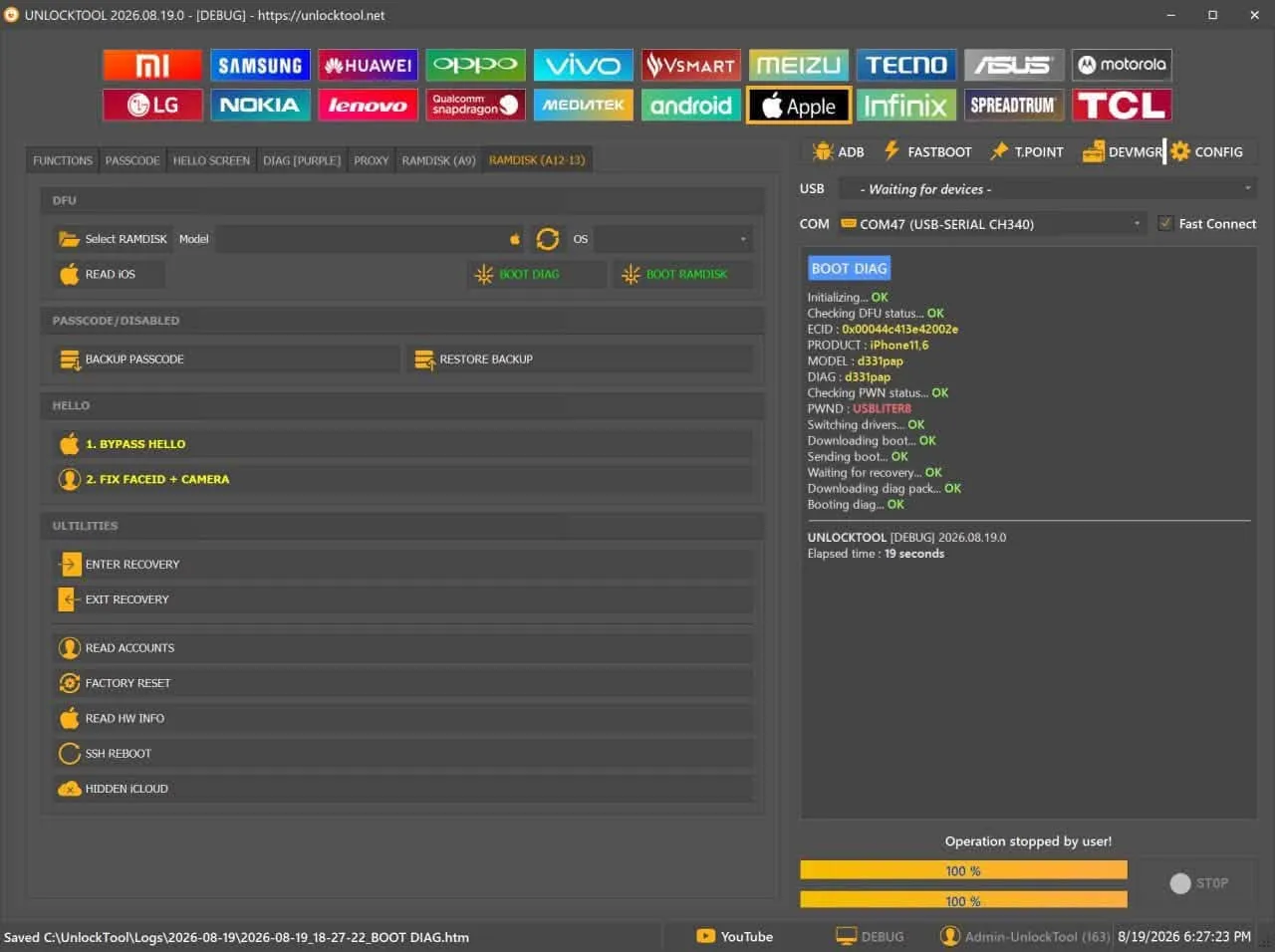
Always confirm the exact operation before renting. A model listed in the interface may support only certain functions or security versions.
Supported Brands, Chipsets and Connection Modes
Technicians commonly use UnlockTool with Samsung, Xiaomi, Redmi, POCO, OPPO, Realme, Vivo, Huawei, Honor, Motorola, Tecno, Infinix, Itel and ZTE devices. Selected Apple devices may also be covered by specific software releases.
| Platform | Common connection modes | Drivers to check |
|---|---|---|
| MediaTek (MTK) | BROM, Preloader, VCOM | MTK VCOM/Preloader; USB DK or libusb when required |
| Qualcomm | EDL 9008, Fastboot, ADB | Qualcomm HS-USB QDLoader and ADB/Fastboot |
| Unisoc/Spreadtrum | Diag, Flash Mode | SPD/SCI USB2Serial |
| Samsung Exynos/Qualcomm | MTP, ADB, Download Mode | Samsung USB Driver |
| Apple | Normal, Recovery, DFU | Apple Mobile Device Driver or iTunes |
Check the complete model code, chipset, OS version, BIT level and security patch before ordering. Device support changes between releases, so verify it in the current software or an official update source rather than relying on an old video or a similar model name.
What Should You Prepare Before the Rental Starts?
- A Windows 10 or Windows 11 64-bit computer with a stable Internet connection.
- A compatible version of UnlockTool already downloaded and installed.
- The correct driver for the brand, chipset and required connection mode.
- A reliable USB cable, a stable USB port and sufficient device battery power.
- The exact regional firmware package if you plan to flash the device.
- A backup of important data and clear authorization to service the device.
Open Windows Device Manager and confirm that the expected connection or COM port appears. Do not start a timed rental while the computer still shows an unknown device, a driver warning or an incomplete firmware download.
How to Rent an UnlockTool Account from MobiUnlock
- Select the 6-hour or 12-hour UnlockTool package on this page.
- Sign in, or provide the email address that should receive the order information.
- Review the selected package, access period and final price.
- Complete payment using one of the methods currently available at checkout.
- Receive the account details and sign in on the prepared Windows computer.
- Select the correct brand, model and operation before connecting the device.
If you are unsure about compatibility, contact MobiUnlock before renting. Include the full model code, chipset, Android or iOS version, BIT level and security-patch information where applicable.
Important Usage and Safety Notes
- Rental access runs continuously for the selected period, including while the software is closed or the computer is offline.
- Sign in on the computer you intend to use. Account policies may restrict computer changes or impose a waiting period.
- Flashing, factory resets and partition operations can erase data or make a device unusable if performed incorrectly.
- Do not disconnect the cable, shut down the computer or allow the device battery to run out during an operation.
- Work only on devices that you own or have explicit permission to service.
- The rental provides access to the software; it does not guarantee that every operation will succeed on every model.
Frequently Asked Questions
How quickly will I receive the UnlockTool account?
The system delivers access details automatically after successful payment. If the order has not updated after a few minutes, check your email and order history or contact MobiUnlock support.
Should I choose the 6-hour or 12-hour rental?
Choose six hours when the software, drivers, firmware and device are ready. Choose twelve hours when servicing several devices, downloading additional files or allowing more time for troubleshooting.
Is UnlockTool free?
The installer may be available to download, but most service functions require an active account or license. Avoid cracked versions because they may contain malware, expose private data and fail to receive current compatibility updates.
Do I need to install UnlockTool before renting?
Yes. Download UnlockTool, install the relevant drivers and verify device detection before starting the package so that paid time is not wasted on preparation.
Can I use the rental account on multiple computers?
Use one prepared computer whenever possible. The account may be linked to the computer used for sign-in, and moving it may require a waiting period under the policy in effect at that time.
Can I get a refund if an operation is unsuccessful?
Success depends on device compatibility, firmware, BIT level, security patch, drivers and the chosen procedure. Refund terms should cover account-delivery or service faults attributable to the provider, not unsupported devices or incorrect technical operations.
Rent UnlockTool Now
Choose the 6-hour UnlockTool rental when your setup is ready, or select 12 hours when you need more working time. Confirm device compatibility, prepare all required files and back up important data before payment to make full use of the rental period.
This product has no reviews yet.