
What Is UnlockTool Ramdisk? Devices, Modes, and Requirements
Learn what UnlockTool Ramdisk does, how Passcode and Hello Screen workflows differ, which devices may be supported, and what to prepare before use.

UnlockTool Ramdisk refers to Apple service workflows that boot a supported iPhone or iPad into a temporary maintenance environment. Technicians may use the available functions to read device information, prepare a device-specific passcode backup, restore supported data after a reset, or run a listed Hello Screen operation.
Ramdisk support is not a single universal feature. The available action depends on the device model, chip, iOS or iPadOS build, current screen state, UnlockTool release, and any hardware required by that release. Seeing a model name in a video or product listing does not confirm that every version and device condition will work.
Quick answer: identify the device and screen state first, check the exact operation in the current UnlockTool build, then test the Windows drivers, cable, storage, account, and any required accessory. Start a timed rental only after the full setup is ready.
This guide explains how the Ramdisk feature is organized and how to prepare for an authorized repair. For the complete A12/A13 passcode procedure, use the dedicated A12/A13 iPhone passcode guide with UnlockTool and RP2350.
What Is a Ramdisk?
A ramdisk is a small operating environment loaded into memory instead of being installed as the device's normal operating system. In a supported repair workflow, it can provide temporary access to service functions while the regular iOS installation is unavailable or locked.
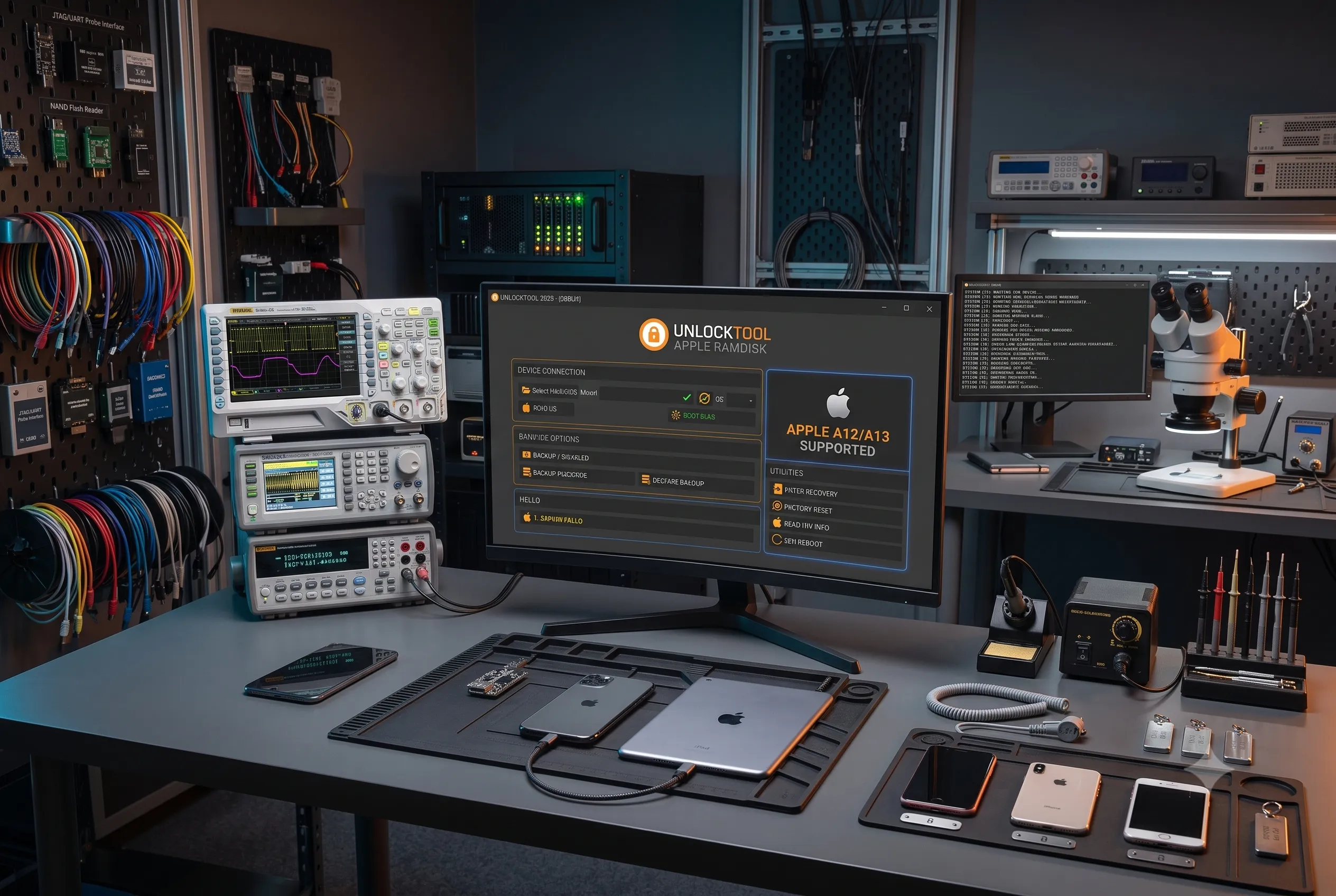
The general pattern is:
- Identify the exact device and installed software build.
- Put the device into the connection state requested by the tool.
- Complete any required hardware-assisted entry stage.
- Boot the compatible ramdisk.
- Run only the operation listed for the device's current state.
- Save the log and verify any backup before making an irreversible change.
The buttons, files, and order can change between UnlockTool releases. Current in-app instructions and release notes take priority over an older video or screenshot.
What Can UnlockTool Ramdisk Be Used For?
The available functions vary by release, but common categories include:
| Function category | Typical purpose | Main check before use |
|---|---|---|
| Device information | Read identifiers or software details needed for compatibility checks | Confirm that Windows detects the device consistently |
| Passcode backup and restore | Preserve supported device-specific data before a reset and restore it afterward | Verify that a complete backup exists before erasing anything |
| Factory reset | Erase the current installation as one stage of a documented workflow | Obtain owner consent and understand the data-loss risk |
| Hello Screen operation | Run a supported setup-screen procedure | Check SIM, reset, update, and Apple service limitations |
| Ramdisk boot or mount | Start the temporary maintenance environment | Match the model, build, files, and required accessory |
A successful ramdisk boot does not guarantee that the requested service will complete. Backup integrity, server availability, device condition, software support, and the selected operation still matter.
Passcode, Hello Screen, Activation Lock, and Lost Mode
Correctly identifying the device state prevents many failed jobs.
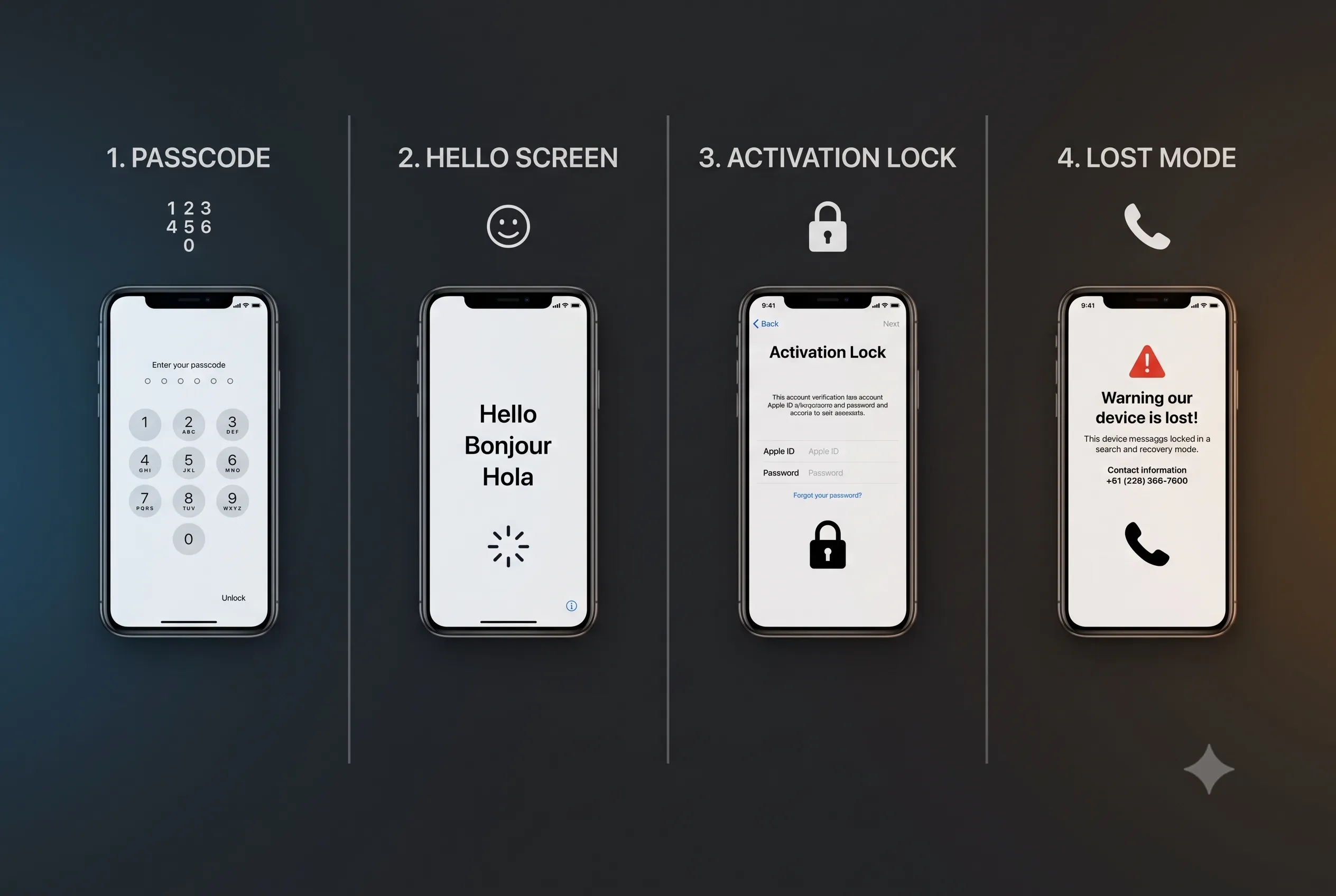
| Device state | What it means | Service implication |
|---|---|---|
| Passcode or disabled screen | The existing installation and device data are still present | A listed workflow may require a device-specific backup before reset |
| Hello Screen | The device has already been erased or restored and is waiting for setup | Existing passcode data may no longer be available to preserve |
| Activation Lock | Apple requests the Apple Account previously linked through Find My | Official removal requires the linked account, the previous owner, or accepted proof of purchase |
| Lost Mode | The owner has marked the device as missing | Stop the job and use the displayed owner information to return the device |
A passcode backup and restore workflow is not the same as Apple removing Activation Lock. A Hello Screen bypass is also not an official removal. Depending on the method, restrictions may apply to cellular service, Apple Account sign-in, notifications, reset, restore, or software updates.
Read How to Remove iCloud Activation Lock Safely for legitimate account recovery and proof-of-purchase options.
How to Check Device Support
Do not decide compatibility from the retail model name alone. Check all of the following:
- Exact model identifier and chip family.
- Installed iOS or iPadOS build where it can be read.
- Passcode, disabled, Hello Screen, Recovery, or other current state.
- Operation displayed for that model in the current UnlockTool build.
- Files and external hardware required by the listed procedure.
- Restrictions or fixes published in the latest release notes.
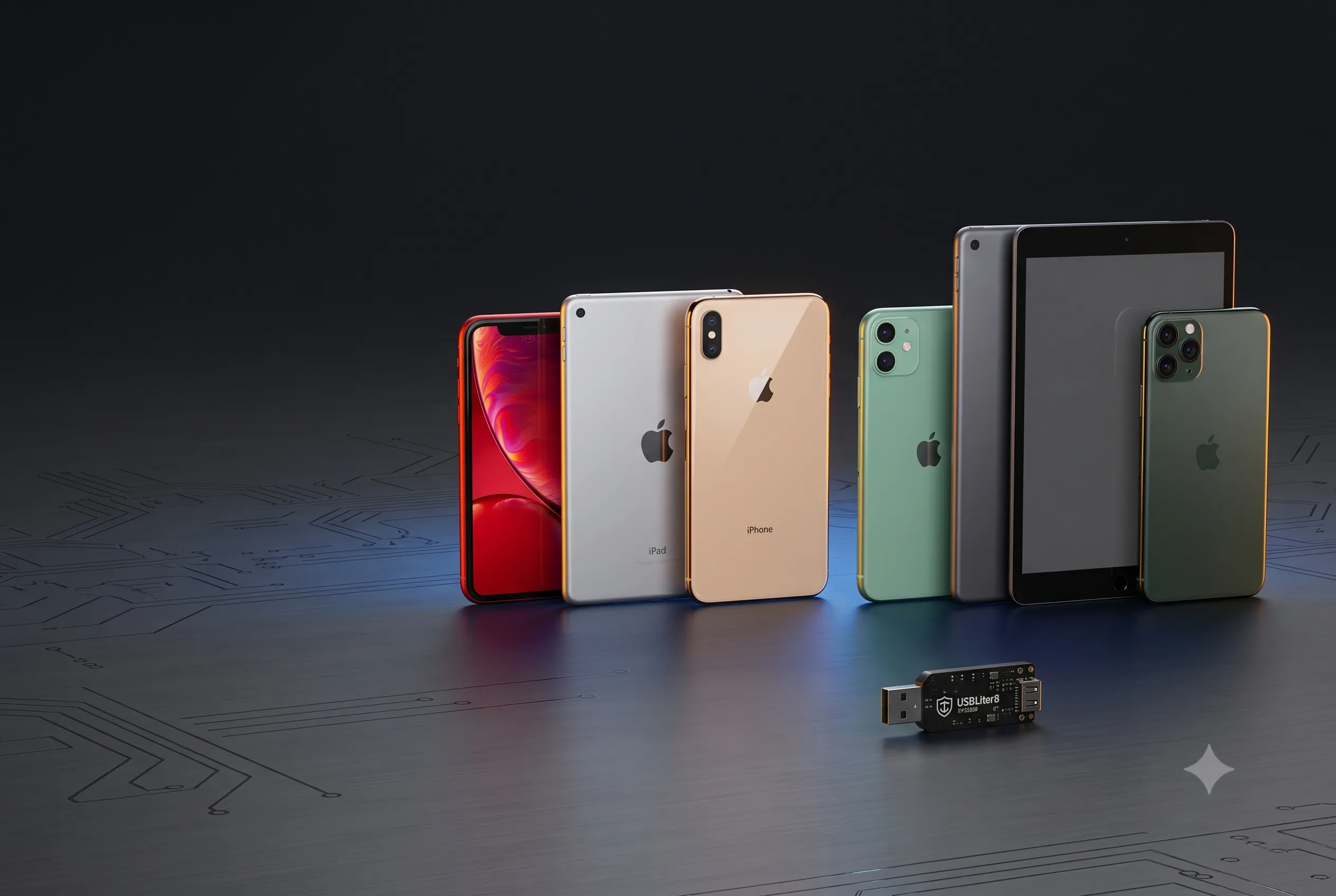
A12 and A13 support example
Recent release information has listed ramdisk-related functions for selected devices in these families:
| Chip family | Common model families | Where to get the detailed procedure |
|---|---|---|
| A12 | iPhone XS, XS Max, XR, iPad Air 3, iPad mini 5, iPad 8 | A12/A13 passcode workflow |
| A13 | iPhone 11 series, iPhone SE (2nd generation), iPad 9 | A12/A13 passcode workflow |
When Is RP2350 Hardware Required?
Some A12/A13 procedures use an RP2350-based USB accessory during the device-entry or communication stage. It does not replace UnlockTool, the Apple USB components, a compatible ramdisk, or the correct device mode.
If the current procedure requires RP2350, confirm:
- The board or packaged accessory is intended for that workflow.
- Its connector and revision match the documented setup.
- It has the correct firmware or configuration.
- Windows detects it reliably before the phone is connected.
- You have a direct USB port and a known-good data cable.
Do not buy a generic development board based only on the term "RP2350." Board layout, firmware, connector, and workflow compatibility can differ. The dedicated A12/A13 and RP2350 guide covers the model-specific sequence without duplicating it here.
UnlockTool Ramdisk Requirements
Windows and software
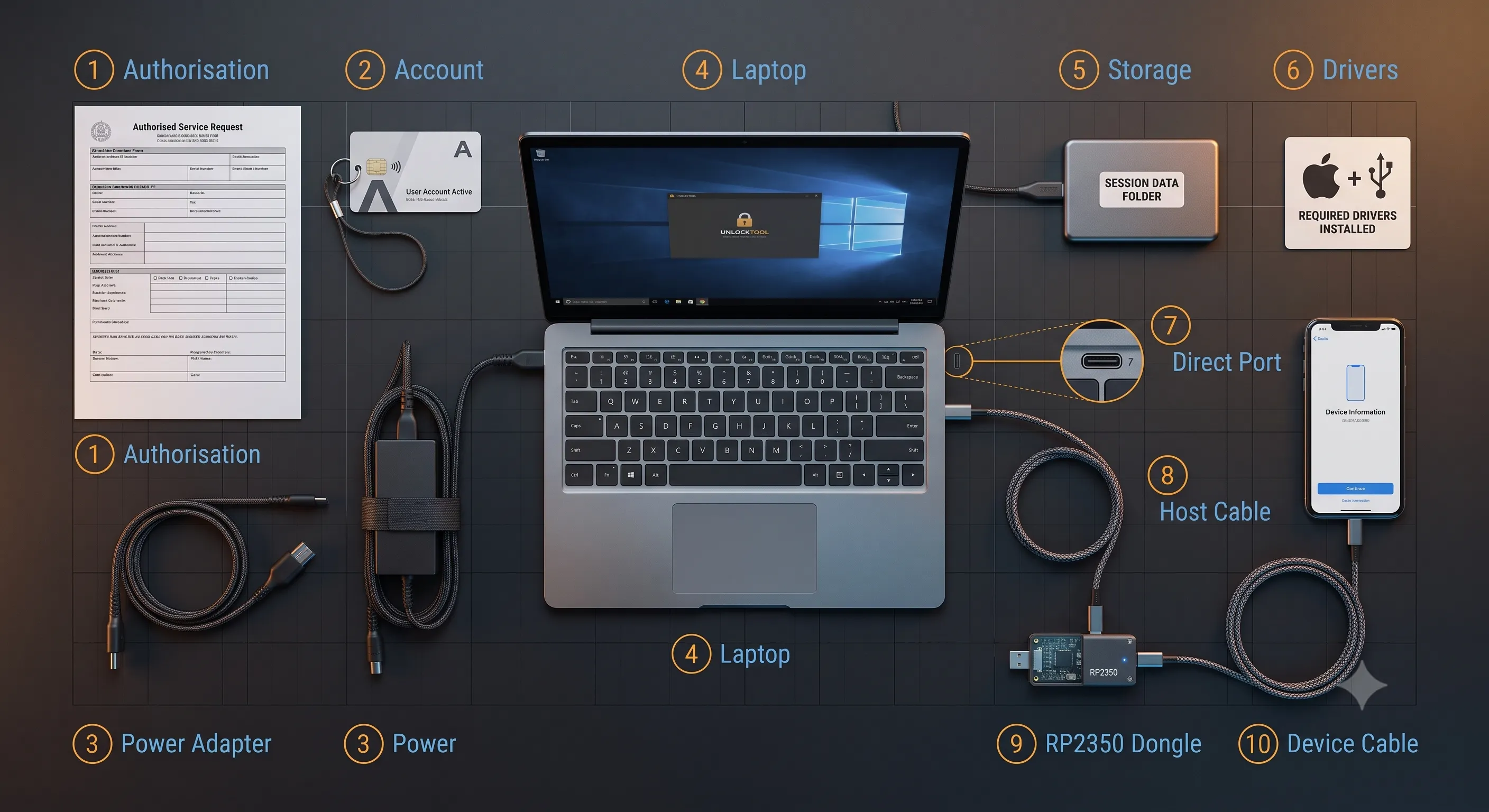
Use a stable 64-bit Windows 10 or Windows 11 computer. Install a current, verified UnlockTool build and the required Apple USB components. Avoid cracked executables, repacked archives, and several conflicting driver packages.
The UnlockTool download and Windows setup guide explains the safer installation path.
Account access
Confirm that the UnlockTool account signs in and has an active access period. If you maintain your own account, follow the UnlockTool activation guide. For occasional work, compare the current UnlockTool rental options.
USB connection and power
Use a short, data-capable cable and a direct computer port. Avoid an unpowered hub, monitor port, loose adapter, or unreliable front-panel extension. Connect a laptop charger and prevent Windows from sleeping during the operation.
Local storage
Create a local folder with a short path for device information, logs, and backups. Keep each repair in a separate folder. Do not place customer data in a public cloud folder or send it through a public chat group.
Preparation Checklist
- [ ] Confirm ownership or written authorization.
- [ ] Record the model identifier, serial number, IMEI where available, and current screen state.
- [ ] Check the exact operation in the current UnlockTool build.
- [ ] Read the latest release notes and known restrictions.
- [ ] Install and test the Apple USB components.
- [ ] Confirm that Windows detects the device in the required mode.
- [ ] Test any required accessory separately.
- [ ] Prepare a direct USB port and at least one known-good data cable.
- [ ] Disable sleep for the duration of the job.
- [ ] Create a dedicated local folder for logs and backups.
- [ ] Confirm that account access is active.
- [ ] Review rental timing and computer-binding terms.
- [ ] Explain data-loss and feature-limit risks to the owner.
Finish these checks before starting a timed session. Paid access may continue running while you troubleshoot a driver, download a file, or configure an accessory.
Choose the Correct Guide for the Job
| Your goal | Best MobiUnlock resource |
|---|---|
| Understand UnlockTool Ramdisk and prepare a workstation | This guide |
| Perform the documented A12/A13 passcode workflow | A12/A13 passcode guide with RP2350 |
| Install UnlockTool and Windows components | UnlockTool download and setup guide |
| Activate an account | UnlockTool activation guide |
| Compare short access periods | UnlockTool rental options |
| Learn about the full software platform | What Is UnlockTool? |
This separation keeps the general Ramdisk reference current while the model-specific article owns the detailed A12/A13 procedure.
Common Preparation Problems
Windows does not detect the device
Test a different direct USB port and known-good cable. Check the Apple USB components in Device Manager and close other software that may be holding the connection. Resolve unstable detection before attempting a ramdisk boot.
The required accessory is not recognized
Disconnect the phone and test the accessory by itself. Confirm its board revision, firmware, cable, and expected Windows device entry. If the accessory cannot be detected consistently, do not start the timed session.
The listed operation is missing
Confirm the selected model, application version, account access, and device state. Support can change between releases. Do not substitute a similar model or choose a different operation simply because its button is available.
A backup exists but has not been verified
Use the application log to confirm the output path and result. A folder on disk does not prove that the backup is complete or belongs to the current device. Do not erase the phone until the required backup has been verified.
Safety, Privacy, and Service Limits
- Service only devices you own or are authorized to repair.
- Do not work on a device in Lost Mode or one reported stolen.
- Obtain consent before an operation that can erase data.
- Keep backups and device identifiers private.
- Never mix or reuse backups between devices.
- Explain SIM, update, restore, and Apple Account limitations before charging for the service.
- Prefer Apple's account recovery and Activation Lock support when valid proof of ownership is available.
Ramdisk access is a technical capability, not proof that the repair is authorized. The technician remains responsible for ownership checks, data handling, and an accurate explanation of service limitations.
Frequently Asked Questions
What is UnlockTool Ramdisk used for?
On supported Apple devices, it boots a temporary maintenance environment for release-specific functions such as reading device information, passcode backup and restore, factory reset, or a listed Hello Screen operation.
Which devices support UnlockTool Ramdisk?
Support depends on the model, chip, operating-system build, screen state, UnlockTool version, and required hardware. Check the current in-app model list and release notes rather than relying on a static list alone.
Is RP2350 required for every Ramdisk operation?
No. RP2350 hardware is associated with certain A12/A13 procedures. Other Apple operations and non-Apple modules can use different connection methods.
Is a passcode workflow the same as removing Activation Lock?
No. The passcode protects local access to the device. Activation Lock is linked to Find My and the owner's Apple Account. Official removal requires the linked account, the previous owner, or proof of purchase accepted by Apple.
Can a Hello Screen method have limitations?
Yes. Depending on the method and release, restrictions may affect SIM service, Apple Account sign-in, notifications, reset, restore, or updates. Review the exact operation notes before starting.
Why should I prepare before renting UnlockTool?
Timed access normally runs continuously. Driver installation, file downloads, accessory setup, and cable troubleshooting can consume the rental period before the device is ready.
Does a successful ramdisk boot guarantee the repair will finish?
No. The remaining operation can still depend on backup integrity, device data, server availability, software support, and hardware condition.
Where can I rent UnlockTool access?
MobiUnlock lists short-term UnlockTool rental packages. Check the current duration, price, availability, and account terms before payment.
Before You Start
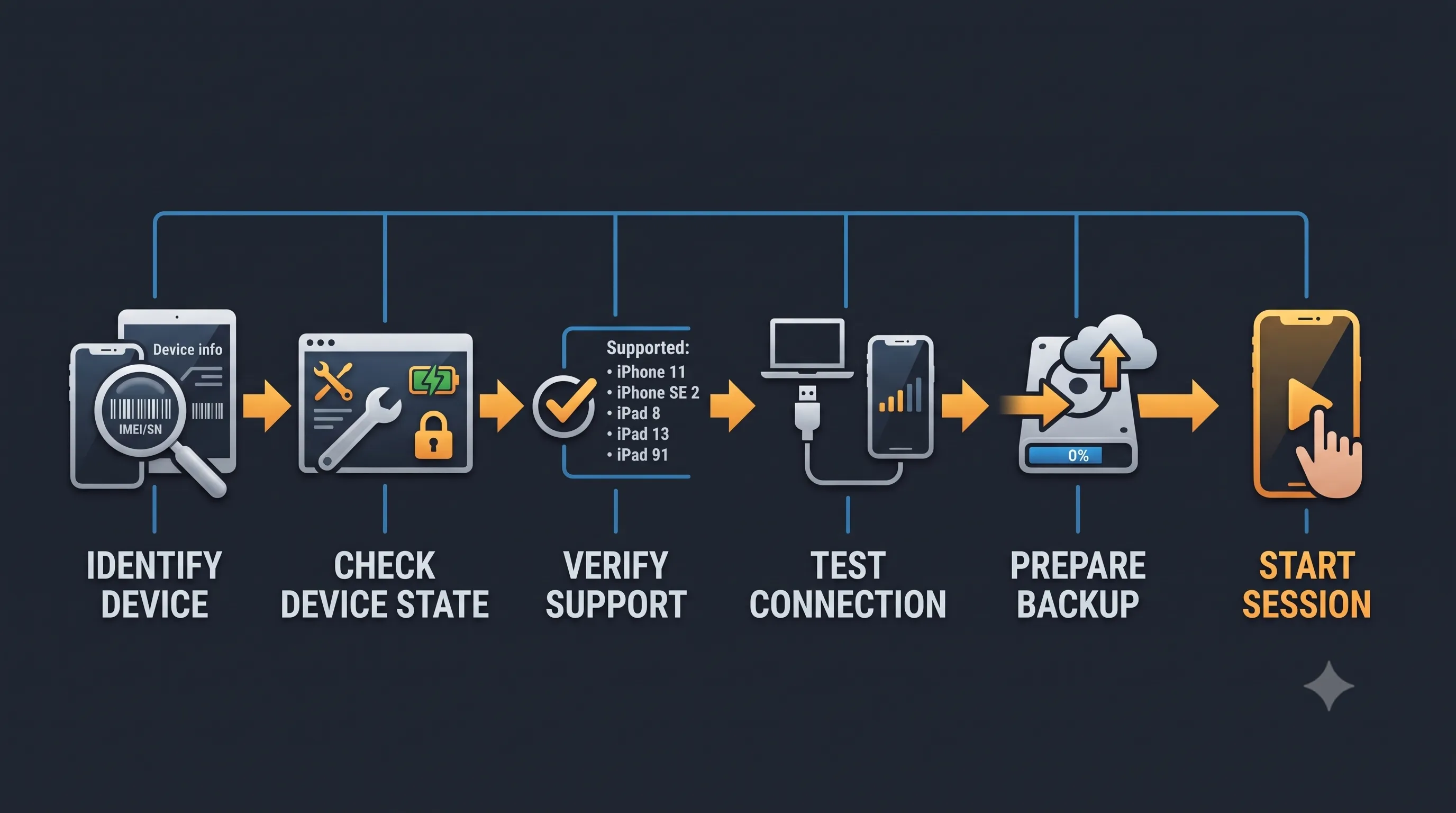
Identify the device state, verify current support, test the USB connection and required hardware, and prepare secure local storage before activating access. If the job is specifically an A12/A13 passcode case, continue with the dedicated UnlockTool and RP2350 procedure.