

VietUnlock’s 6-hour TFM Tool Pro rental suits a one-off repair once you know the exact device and the job it needs. Work only on devices you own or have permission to service.
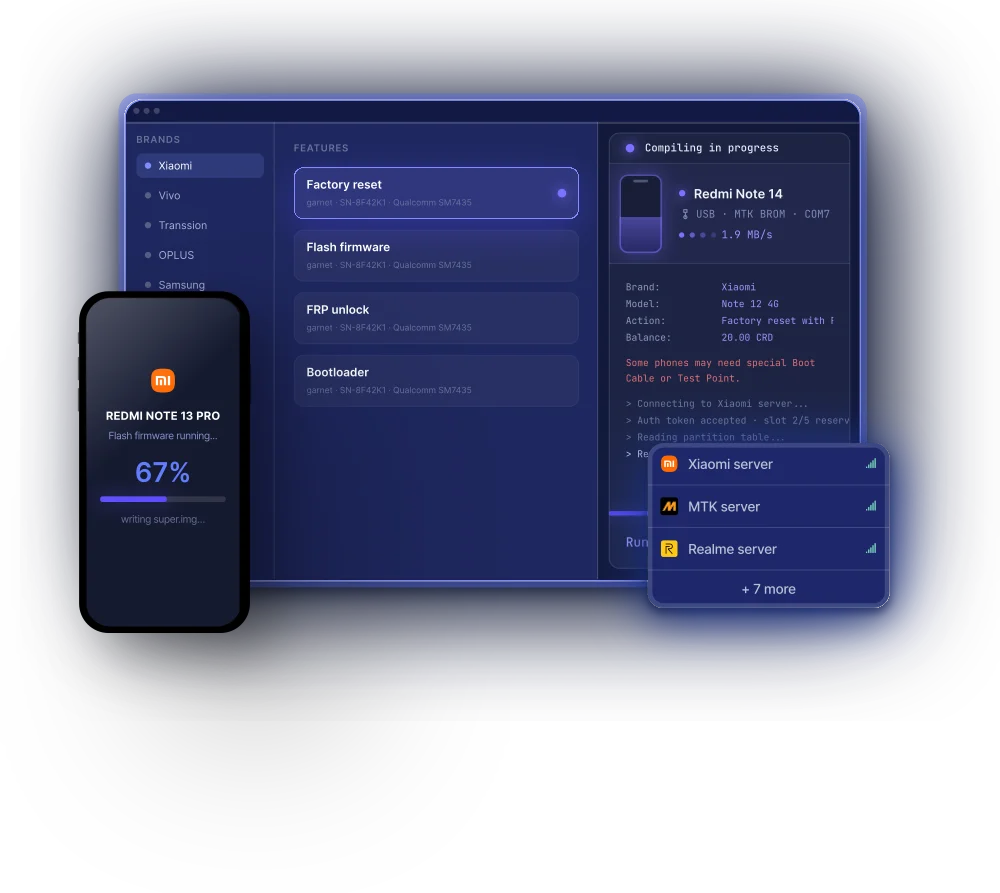
TFMTool desktop interface showing an example service session on Windows.
Flash stock firmware and recover from software faults
Flash Firmware rewrites system software. Use it to reinstall stock firmware or address a boot loop caused by a software fault. You need firmware for the exact model and variant, a supported connection mode, and server authorization where required. A phone that cannot boot still needs to be detected in a supported service mode. Hardware faults need a separate diagnosis. Back up data where possible because flashing can erase it.
Read device information before making changes
Read Information helps identify the device and check system details before writing anything. Read Active Slot is useful for checking the boot slot on supported A/B devices. The information available depends on the model and connection mode. ADB reads require USB debugging and authorization for the computer on the phone.
Factory reset and bootloader unlock
Factory Reset erases user data so the phone can be set up again with the owner’s consent. Check support for the model and connection mode, and have the linked Google account ready if the phone asks for it after reset. Bootloader Unlock allows custom system software on eligible devices. Availability depends on the model, vendor policy and on-device confirmation where required. Unlocking can erase user data.
Before you rent
- Look up your exact model in the compatibility list. Open the matching entry and check the variant, chipset and specific operation. If the listing does not confirm the operation you need, verify support before paying.
- Download the official Windows installer. Prepare a Windows 10 or 11 PC, a USB data cable, the appropriate driver and internet access for server-authorized jobs. Install the software before ordering.

Examples of brands and chipset platforms in the TFMTool catalog. Check the exact model and operation before renting.
Frequently asked questions
When does a six-hour rental make sense?Use it for a one-off repair after confirming the model and operation. Allow time for backups and for testing the device after the repair.
When do I need extra credits?The six-hour rental provides account access. Some operations cost CRD, and the app shows the charge before confirmation. VietUnlock offers an optional 10 CRD add-on when you order.
Will a failed operation cost CRD?TFMTool’s FAQ says it deducts CRD for chargeable operations only on success. That rule covers the vendor’s credits. Your rental duration follows the package you booked.
Should I have the Google account ready before a reset?Yes, if Factory Reset Protection (FRP) is enabled. Ask the owner to confirm access to the linked account or use Google’s account recovery process.